Is Pluggzy safe and legit?
Yes. Pluggzy is run by Logike SAS in Paris. What an AI app can do once you connect it, what we store, how you take access back, and what can go wrong.
- Who runs it?
- Logike SAS, Paris
- Keeps your inbox?
- No copy
- Price
- $10 per account
Yes. Pluggzy is a real product run by a registered French company, Logike SAS. An AI app you connect can read by default and can’t send until you tick a box. We keep no copy of your messages and we never store your passwords. One risk stays: WhatsApp and LinkedIn don’t approve of any tool that connects a personal account, ours included.
We’re the company in question, so don’t take our word for it. Each answer below points at something you can check: a legal page, a listing, or a screen in the product.
Who is behind it
Pluggzy is operated by Logike SAS, SIRET 90230339500021, 128 rue de la Boétie, 75008 Paris, France. That company is the controller of your data under our privacy policy and the one you contract with under the terms. If you’re in the EEA or the UK you can complain about us to your data protection authority, which in France is the CNIL.
The same team builds Breakcold, a sales CRM. Its privacy policy names the same operator and the same SIRET.
A person answers at support@pluggzy.com, and the status page shows whether the service is up.
Is it an official app?
In ChatGPT and Codex, yes. Pluggzy is listed in ChatGPT’s plugin directory, and Codex uses the same plugin.
On TikTok, YouTube, Threads, Pinterest, Google Business Profile and company Pages, also yes. Those connect through each network’s official API. You sign in on the network’s own screen and we never see a password.
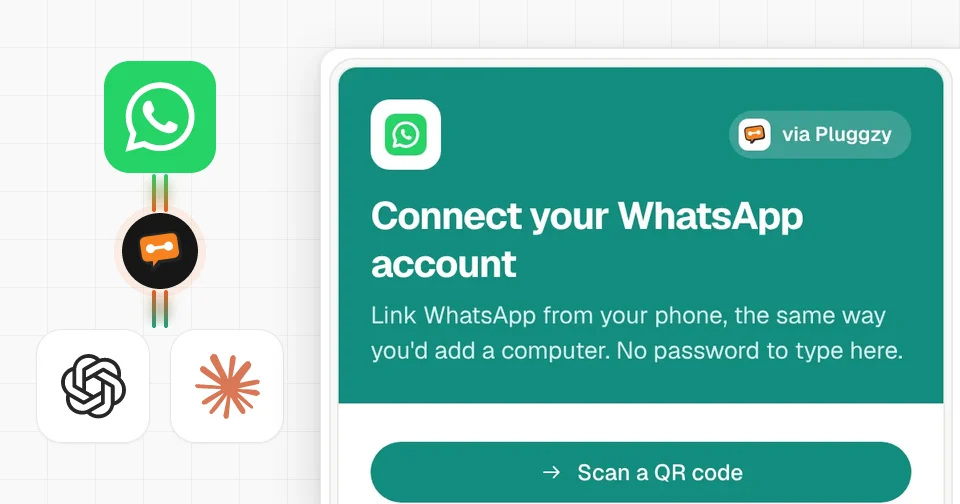
On WhatsApp, LinkedIn, Telegram, personal Instagram and Facebook profiles, no. None of them offers an API for personal accounts, so Pluggzy connects the way a new device or a new browser login does. WhatsApp’s and LinkedIn’s terms don’t approve of that. Each of those connect screens carries a line that starts “Not an official WhatsApp API” or “Not an official LinkedIn API”, above the place where you sign in. What that means for your account is in will WhatsApp ban my number? and is it safe to connect LinkedIn to an AI agent?
What an AI app can do once you connect it
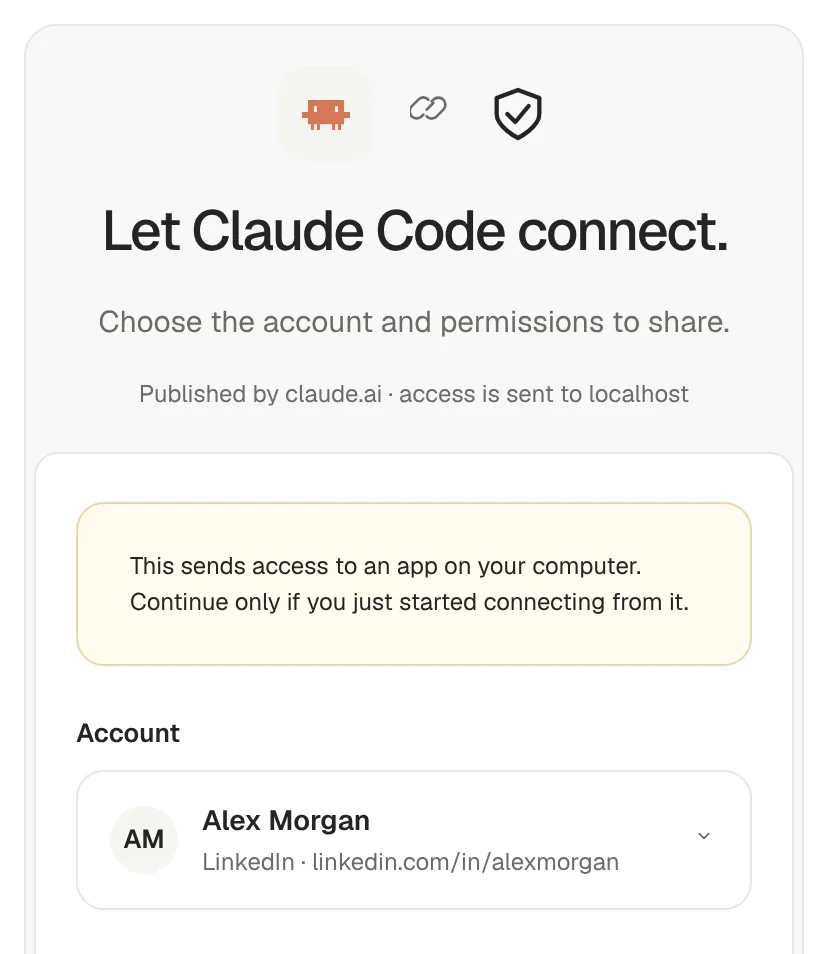
It never gets your WhatsApp or LinkedIn login. When you add Pluggzy to Claude, ChatGPT or Cursor, the app sends you to a Pluggzy page where you choose an account and four permissions.
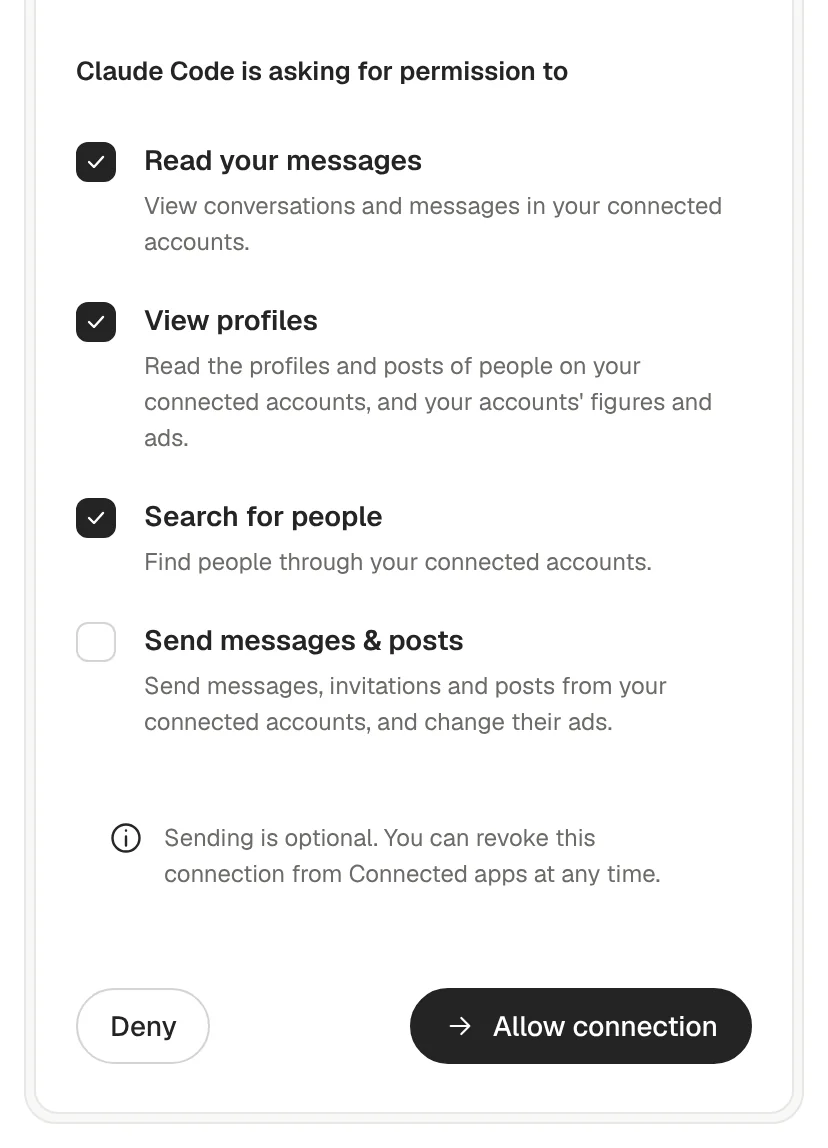
Read your messages, View profiles and Search for people start ticked. Send messages & posts starts unticked, and it covers messages, invitations and posts. The app receives a token limited to what you ticked. With sending off, a send is refused with “This connection is not allowed to send messages & posts.”
The page also says who is asking. For Claude Code it reads “Published by claude.ai · access is sent to localhost”, with a warning to continue only if you just started connecting from that app.
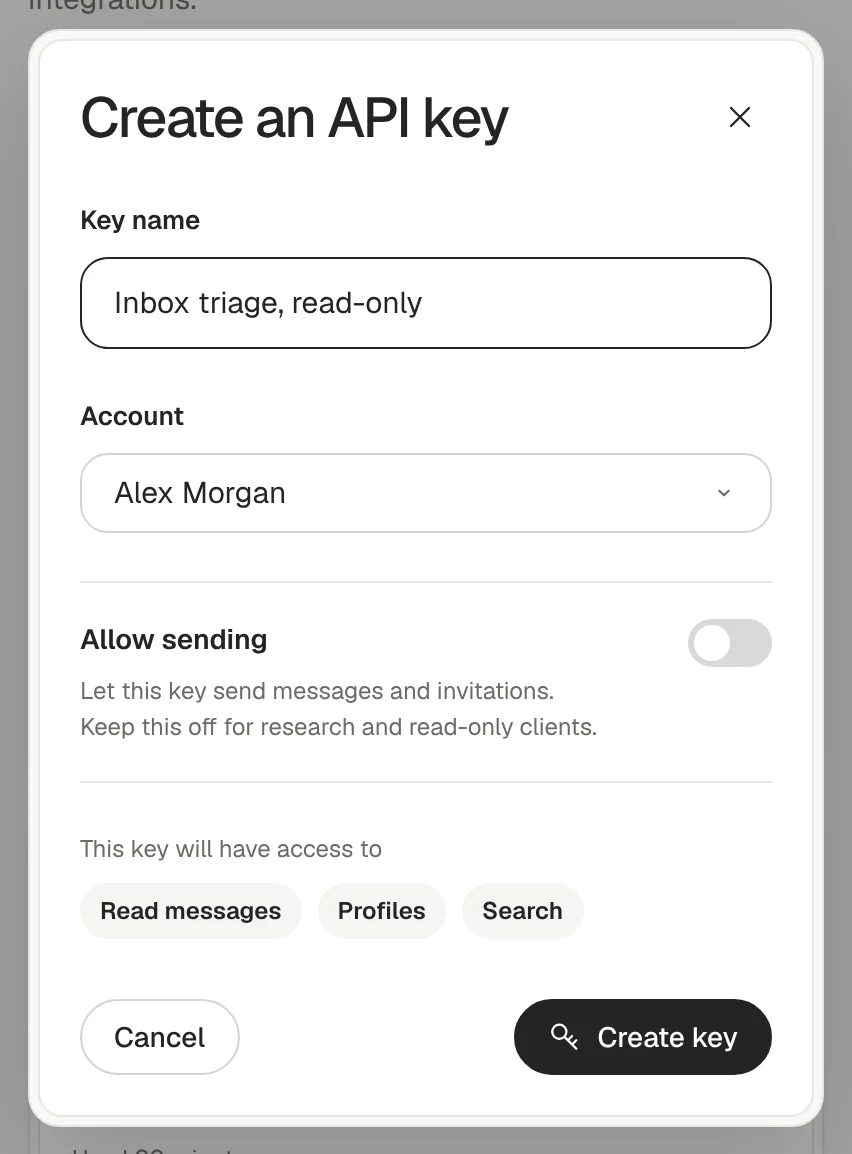
Apps that can’t open a sign-in page use an API key. A key belongs to one connected account, and Allow sending is off when you create it. You see the full key once, and we store only its hash.
On top of permissions, every action is paced and counted per account, whichever app asks: 10 to 20 seconds apart on WhatsApp with 10 new chats a day, 45 to 75 seconds apart on LinkedIn with 25 invitations a day on a free account. The full table is on the limits page.
What we keep and what we don’t
We keep your email and name, which accounts you connected (an ID, the name and the picture), how many actions each account made per day, the posts you schedule or publish through Pluggzy, and your plan status from Stripe.
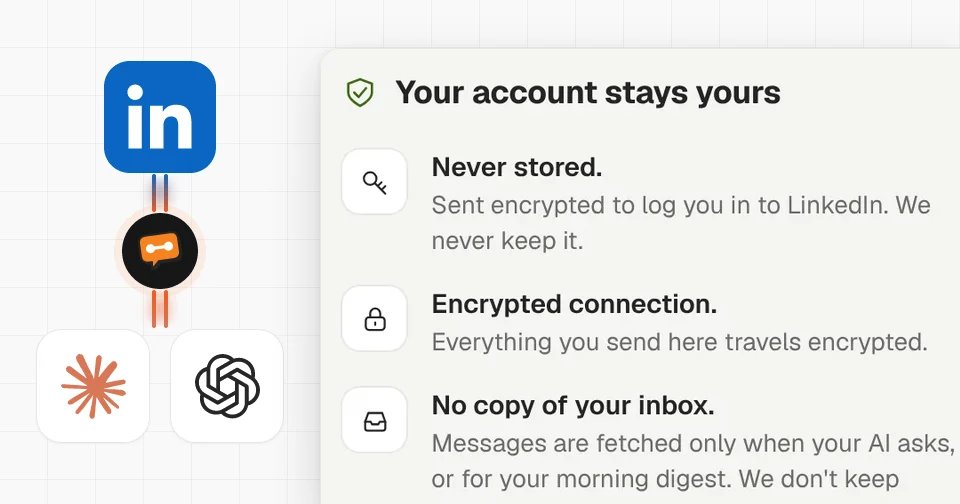
We don’t keep your passwords. They travel encrypted to log you in and are never stored. The logged-in session is held by our messaging infrastructure provider, in the EU and the UK.
We don’t keep your messages, chats or contacts. They’re fetched when your AI asks and handed straight back. The exception to know about is the morning digest email, on by default: once a day it reads a few recent chats to tell you who is waiting on you. It keeps none of the text, and you can turn it off from your profile or from any digest email.
Your card number goes straight to Stripe. Attachment links expire after 24 hours, and images you upload are deleted after 24 hours unless a scheduled post needs them.
We don’t sell your data or use it to train AI. What ChatGPT or Claude does with the messages it reads is governed by OpenAI’s or Anthropic’s policy, so check your settings there too.
How to take access back
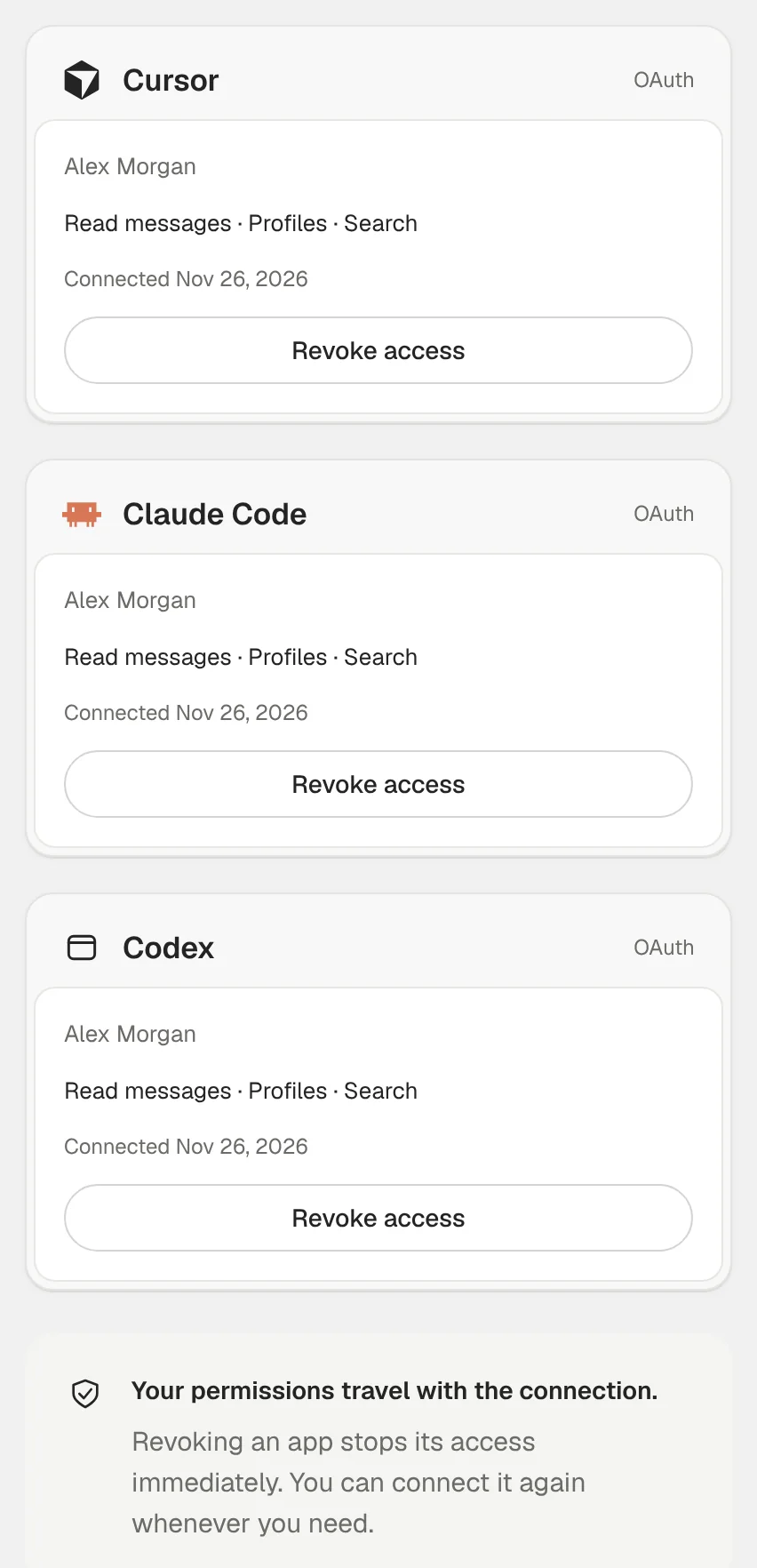
An AI app: open Connected apps and press Revoke, which reads Revoke access on a phone. The page says “Revoking an app stops its access immediately.” There is no separate switch for sending there. To take sending away from an app, revoke it and connect it again with the box unticked.
An API key: revoke it under API keys. A WhatsApp or LinkedIn account: disconnect it from its card on the Accounts page, which also ends the session at our provider. Everything: Delete account in your profile cancels your subscriptions and deletes your workspace.
What it costs, and when you’re charged
$10 per connected account a month. AI apps and teammates aren’t counted. See pricing.
The first 3 days are free and start when you connect your first account, with one account per channel during the trial. No card is asked for, so nothing can be charged when it ends. You get an email the day before. If you don’t pick a plan, your AI’s tools pause at the end of the trial and your accounts are disconnected 12 hours later.
Until November 25, 2026, some trials started with a card. If yours did, it becomes a paid plan when it ends unless you cancel, and the email the day before says so.
What can still go wrong
WhatsApp or LinkedIn can restrict an account that acts like a bot. Pacing and daily limits make that less likely, and they can’t make it impossible. Messaging many strangers is what triggers it. Reading and answering your own messages is the safest use.
Your AI app sees what it reads. A chat your AI opens becomes part of that app’s conversation, under that app’s data policy. Leave sending off unless you need it, and revoke apps you’ve stopped using.
To get started, follow how to connect WhatsApp to Claude or how to connect LinkedIn to ChatGPT.
Frequently asked questions
Is Pluggzy the same as Pluggy, Plug AI or Plugg.To?
No. Pluggzy, with a double z, connects your messaging and social accounts to AI apps. Pluggy is an open finance API in Brazil, Plug AI is a texting assistant app, and Plugg.To is a marketplace integration hub. They are separate companies.
Will Pluggzy charge me automatically?
Not on a trial you start now: it needs no card, so there is nothing to charge. You get an email the day before it ends, and if you don't pick a plan your AI's tools pause and your accounts are disconnected 12 hours later. The one exception is a trial started with a card before November 25, 2026, which becomes a paid plan unless you cancel it.
Can Pluggzy read my messages?
Pluggzy fetches messages when your AI app asks for them and hands them straight back. It keeps no copy of your inbox. The morning digest email, which is on by default, reads a few recent chats once a day to tell you who is waiting on you, keeps none of the text, and can be turned off from your profile.