Is it safe to connect LinkedIn to an AI agent?
Reading and drafting is low risk. Mass invitations are what get accounts restricted. LinkedIn's rules, and the limits Pluggzy sets, with real screens.
- Can it get restricted?
- Yes, it can
- Gap between actions
- 45 to 75 s
- Sends on its own?
- No, off at first
It depends on what the agent does there. An agent that reads your inbox and drafts replies is low risk. An agent that sends invitations to hundreds of strangers is how accounts get restricted. LinkedIn’s User Agreement bans automated access either way, so the risk is never zero. Pluggzy starts every AI app without the right to send, and spaces what it does about a minute apart.
We build Pluggzy. The rules below are quoted from LinkedIn’s own pages, and the limits are the ones the product enforces today.
What LinkedIn’s rules say
Section 8.2 of the User Agreement has you agree not to “use bots or other unauthorized automated methods to access the Services, add or download contacts, send or redirect messages”. The same list bans software that will “scrape or copy the Services” and any attempt to “bypass or circumvent any access controls or use limits of the Services”.
The help page on prohibited software says LinkedIn doesn’t permit third-party software that will “scrape, modify the appearance of, or automate activity on LinkedIn’s website”, and that people who use it “risk having their accounts restricted or shut down.”
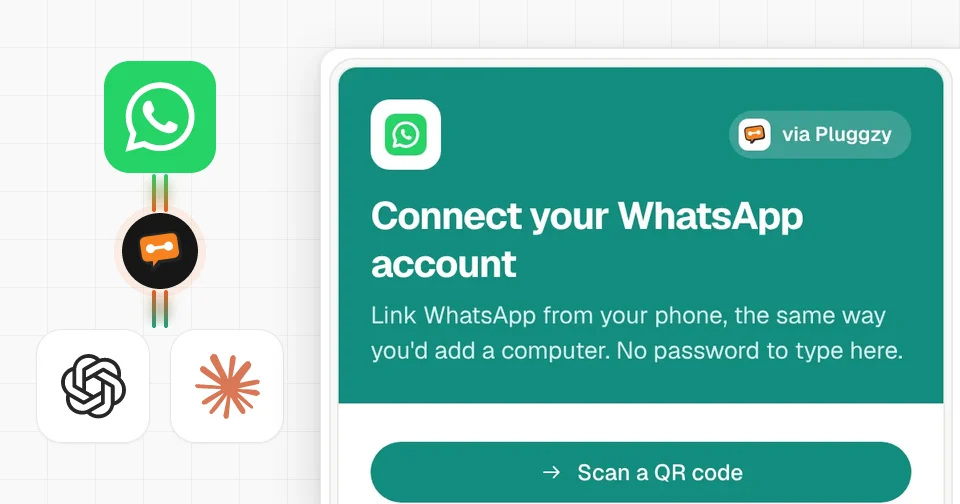
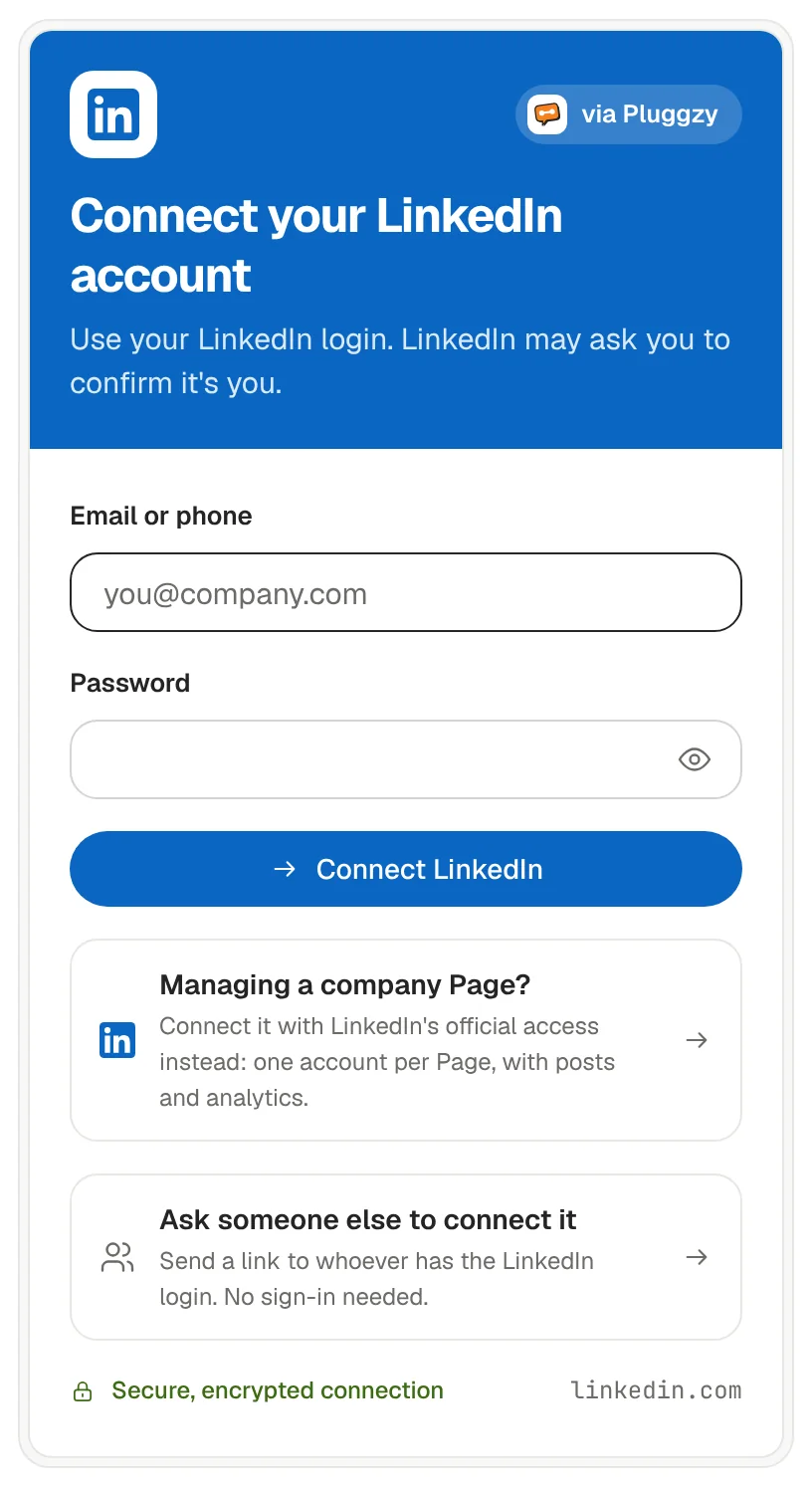
LinkedIn’s official API doesn’t reach your personal inbox or your invitations. Pluggzy uses it for company Pages and ad accounts. Your own profile connects the way a new browser login does, and the connect screen says so.
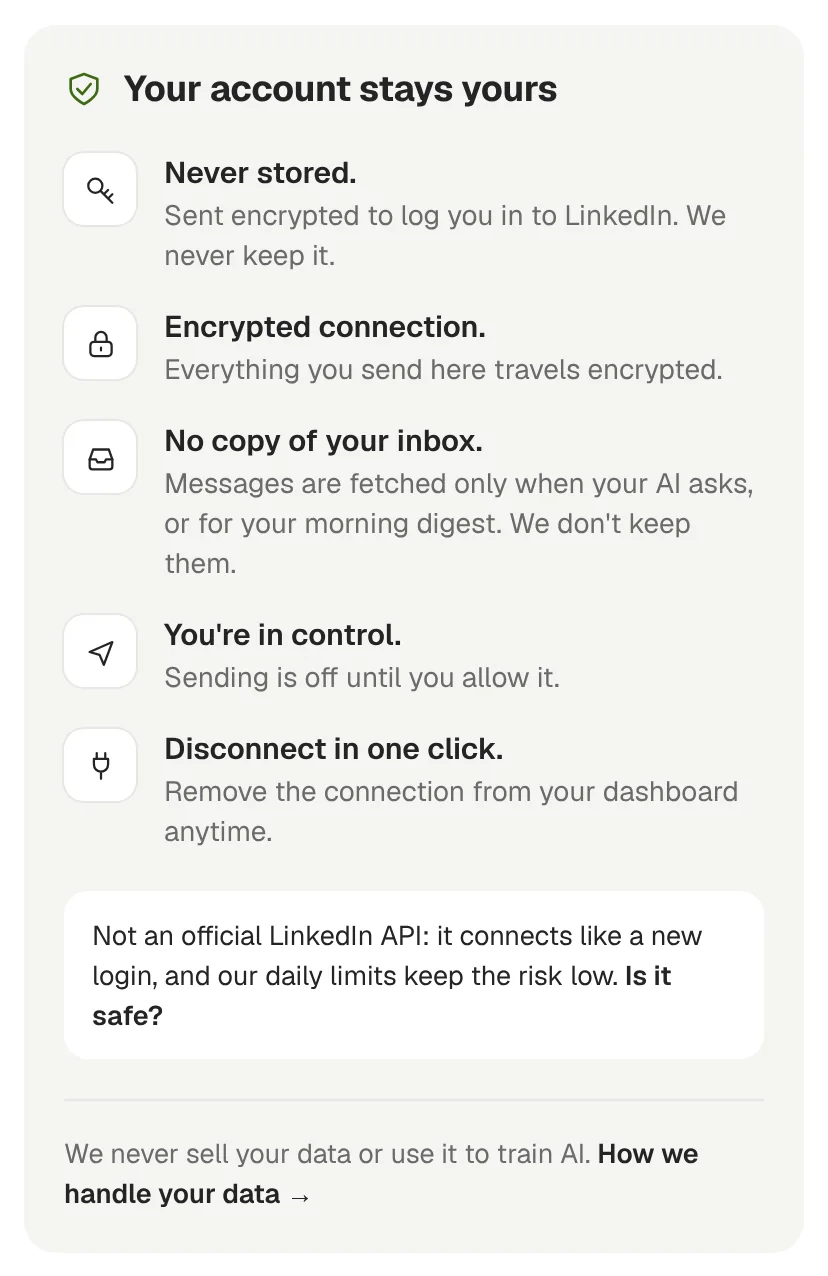
You sign in with your LinkedIn email and password, and LinkedIn may ask you to confirm it’s you, as it does for any new browser. The first line of that panel is about the password: “Never stored. Sent encrypted to log you in to LinkedIn. We never keep it.”
Reading and drafting
This is the low-risk part, and it’s what most people connect an agent for: who wrote to me, what did they ask, draft me an answer. Nothing leaves your account, so nobody can ignore it or report it.
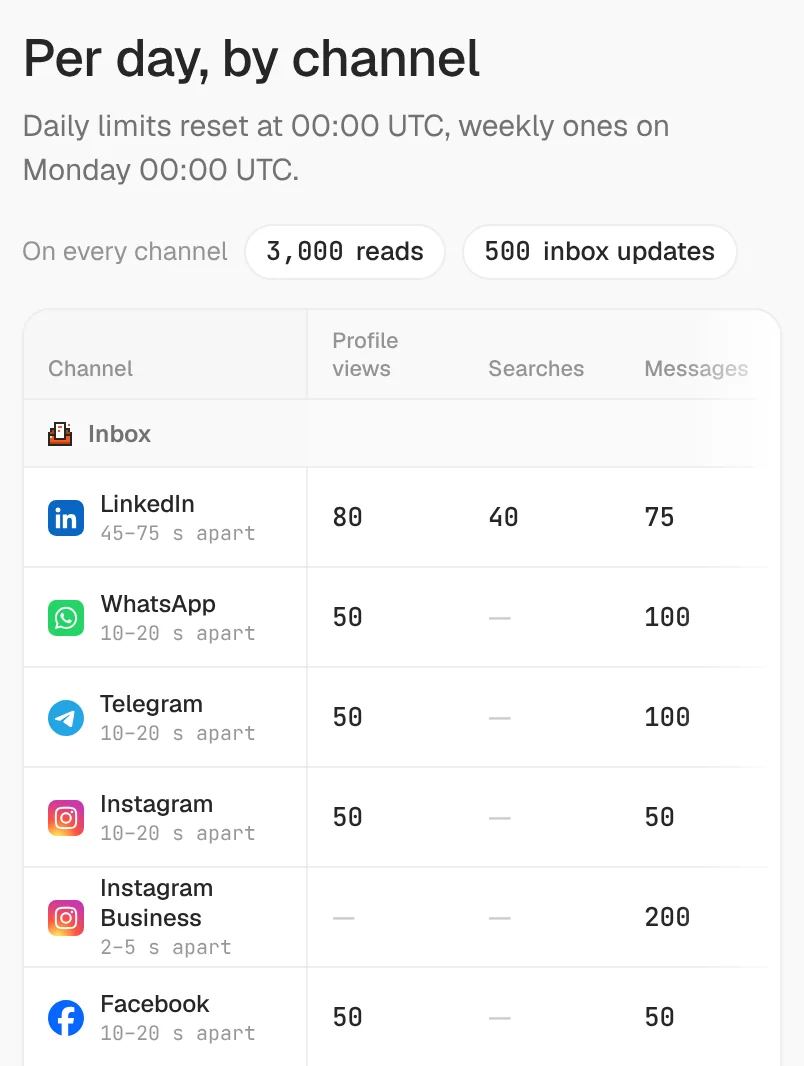
LinkedIn does watch heavy browsing. Free accounts that search a lot run into its commercial use limit, and LinkedIn doesn’t publish where that limit sits. So Pluggzy caps the reading that LinkedIn can see: 80 profile views a day, 40 pages of people search a day (25 people a page), and 280 calls a day in total, inbox reads included. A long research session runs out of budget before it looks like a scraper.
Invitations
Invitations are where accounts get restricted. LinkedIn’s page on invitation restrictions gives the reasons in its own words: “Many of your invitations have been ignored, left pending, or marked as spam by the recipients”, and “If you send an excessive number of invitations and we suspect the use of an automation tool, we may suspend or restrict your account.”
LinkedIn publishes no weekly number. It does publish the rule on notes: free members can add a message to “up to three connection requests per month”, each “up to 200 characters”, and Premium members aren’t capped.
Pluggzy’s limits follow the account type. If it can’t tell which type an account is, it applies the free column.
| | Free LinkedIn account | Premium or Sales Navigator | | --- | --- | --- | | Invitations | 25 a day, 150 a week | 80 a day, 200 a week | | Invitations with a note | 3 in any 30 days | Every invitation | | Note length | 200 characters | 300 characters |
After the third note in 30 days, the invitation with a note is refused and your AI asks whether to send it without one.
Messages
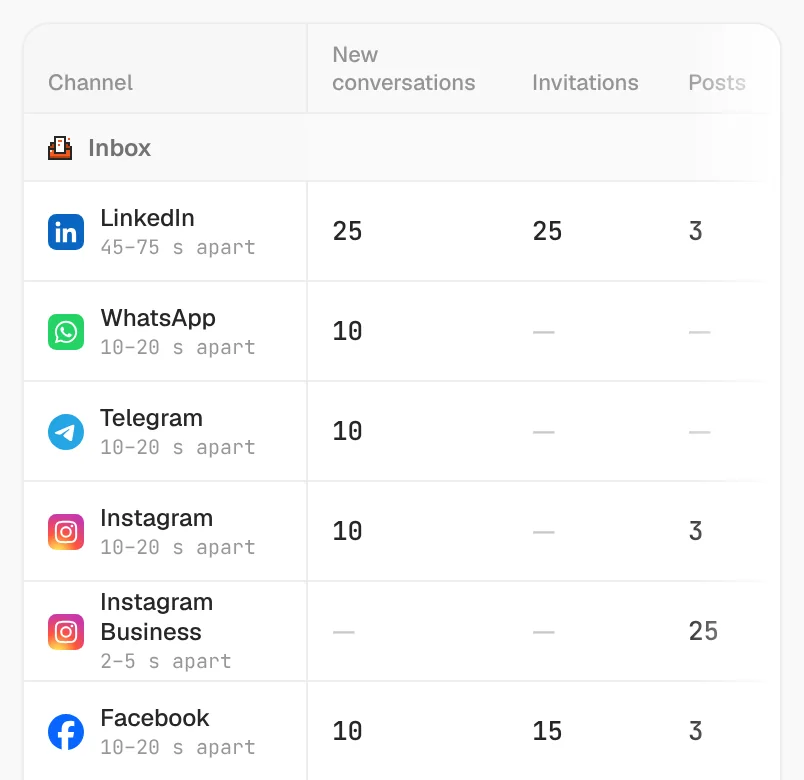
Your AI can send 75 messages a day in conversations that already exist, 2 a minute, and open 25 new conversations a day. It can publish 3 posts a day.
Everything LinkedIn sees as an action shares one clock: profile views, searches, messages, invitations and posts are spaced 45 to 75 seconds apart, at random. We looked up one profile and ran a people search straight after. The search was refused with this:
LinkedIn actions are spaced about a minute apart, at random, to look human. Wait 61s.For a list of people there is a batch tool, linkedin_schedule_outreach. It takes up to 50 messages or invitations and sends them one at a time, a minute or more apart, inside the daily limits. A queued batch can’t be paused or cancelled, so it’s the one place where you should read every name and every text before saying yes.
What you see on your side
Each connected account has a card on the Accounts page with today’s count and what’s left. The allowance is “Shared by all your apps”, so Claude, ChatGPT and Cursor on the same LinkedIn account can’t each spend a full day’s worth.
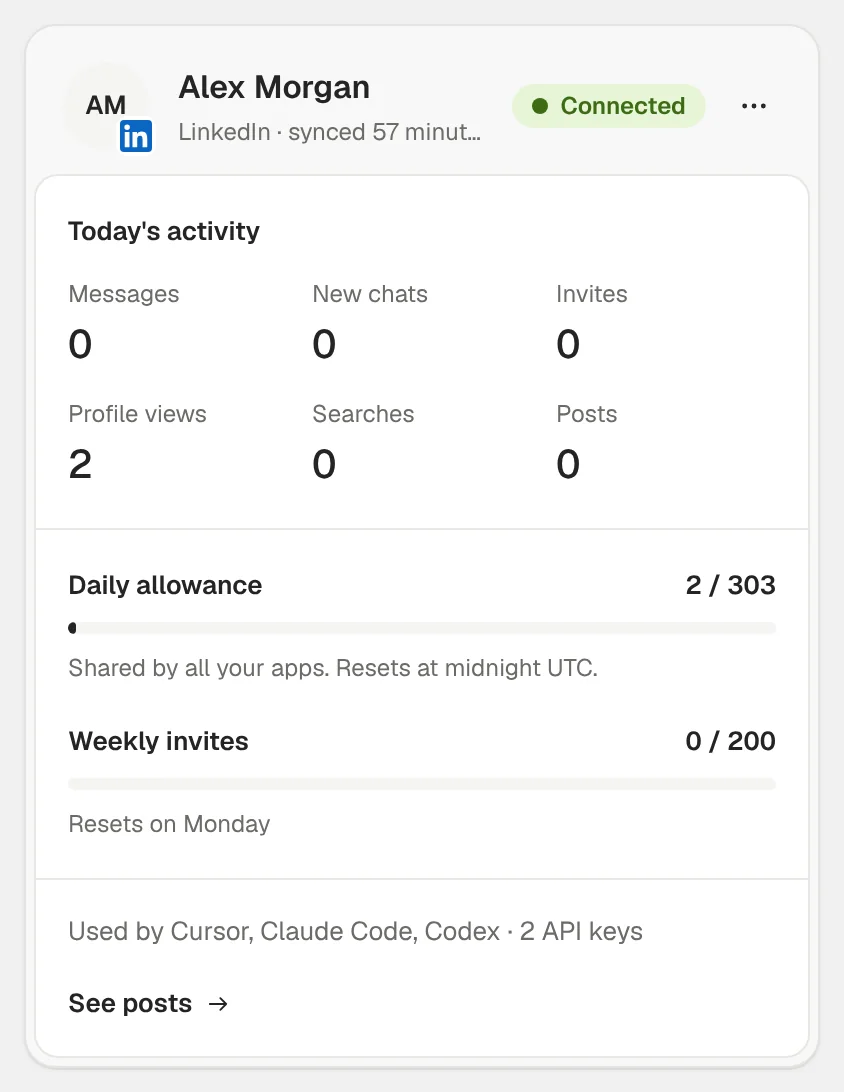
Your AI reads the same numbers through the account_status tool. On that account it answered:
Connected (LinkedIn Premium). Next LinkedIn action allowed now.
Left today: 79 of 80 profile views, 40 of 40 searches, 75 of 75 messages, 25 of 25 new conversations, 80 of 80 invitations (200 of 200 this week), 3 of 3 posts.
All actions together, reads included: 280 of 280 LinkedIn calls left today, at most 15 a minute.
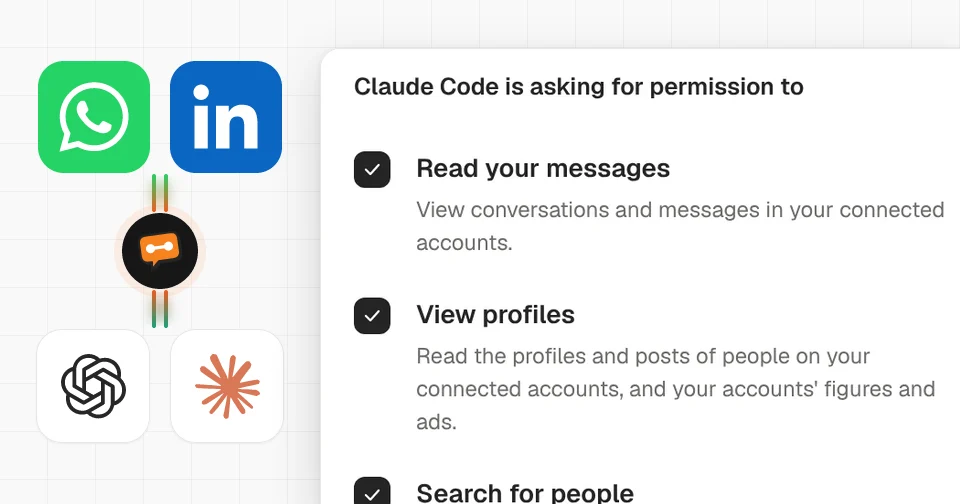
None of it sends until you allow it. On the permission page an AI app gets Read your messages, View profiles and Search for people ticked, and Send messages & posts unticked. That last box covers messages, invitations and posts together. To change it later, revoke the app under Connected apps and connect it again.
When LinkedIn pushes back
If LinkedIn rate-limits the account, Pluggzy stops every action on it for at least 30 minutes, for every AI app that uses it. Calls during the pause are refused with the time left, so your AI tells you instead of trying again. If LinkedIn asks for a fresh login, the account shows as disconnected until you sign in again.
If LinkedIn restricts your account
For a restriction tied to automation, LinkedIn’s page on automated activity asks you to “review and disable the software or extension that automates activities”, and says the account is then “re-enabled at the time specified on the suspension notification.” In Pluggzy that means disconnecting the LinkedIn account, not only closing your AI app.
Invitation restrictions mostly end on their own. LinkedIn says “Most restrictions will automatically be removed within one week” and that it “won’t be able to remove invitation restrictions upon request.”
If LinkedIn asks you to verify your identity, do it. Its page on account restrictions describes that check as the way back when an account was restricted in error.
When you start again, withdraw old pending invitations and invite fewer people, ones who have a reason to accept.
The setup is in how to connect LinkedIn to Claude and how to connect LinkedIn to ChatGPT. For who runs Pluggzy and what it stores, see is Pluggzy safe and legit? The WhatsApp version of this page is will WhatsApp ban my number?
Frequently asked questions
How many LinkedIn invitations can my AI send through Pluggzy?
25 a day and 150 a week on a free LinkedIn account, 80 a day and 200 a week on Premium or Sales Navigator. LinkedIn can still stop you sooner: it publishes no number of its own and restricts invitations that people ignore or mark as spam.
How many LinkedIn invitations can carry a note?
Three in any 30 days on a free account, up to 200 characters each, which is LinkedIn's own rule. After the third, Pluggzy refuses the note and your AI asks whether to send the invitation without one. Premium and Sales Navigator accounts can add a note of up to 300 characters to every invitation.
Can I stop a LinkedIn outreach batch once it's queued?
No. A batch holds up to 50 messages or invitations and can't be paused or cancelled once it's queued, so check every recipient and every text before your AI schedules it.
Does Pluggzy store my LinkedIn password?
No. You type it on Pluggzy's connect page, it travels encrypted to log you in to LinkedIn, and it is never kept. What stays is the logged-in session, which you end by disconnecting the account.
Sources
- LinkedIn User Agreement, section 8.2
- LinkedIn Help: Prohibited software and extensions
- LinkedIn Help: Automated activity on LinkedIn
- LinkedIn Help: Account restrictions
- LinkedIn Help: Types of restrictions for sending invitations
- LinkedIn Help: Personalize invitations to connect
- LinkedIn Help: Commercial use limit
- Pluggzy docs: Limits